.png)
How do I locate my BitLocker recovery key?Updated 4 months ago
BitLocker is a built-in security feature in Windows that helps protect your personal information. It works by encrypting (locking) the data on your computer so that if the device is lost, stolen, or tampered with, no one else can access your files. Sometimes, after a Windows update, hardware change, or security reset, your computer may ask for a BitLocker Recovery Key. This is a special 48-digit code that unlocks your device and confirms that you are the authorized user.
WINDOWS 11 PRO VS. HOME
If you are running Windows 11 Home, you will not see the options below, as the Home edition doesn't support BitLocker. Below is the fastest way to identify if you are using Pro vs. Home.
- Open the Start Menu
- Type in Windows activation
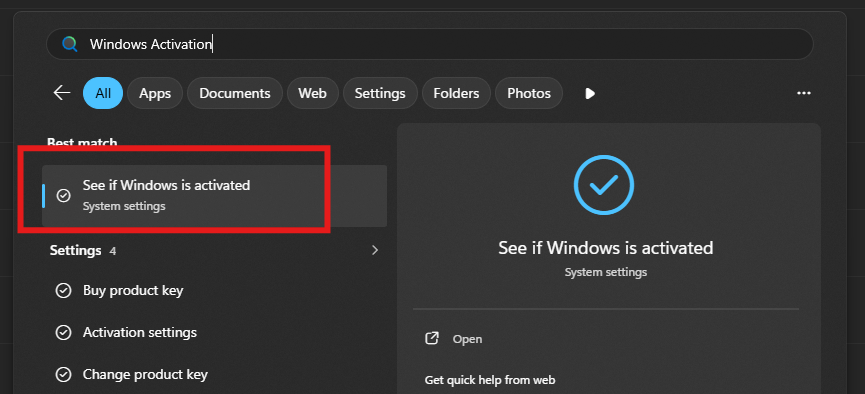
- Click the first option, "See if Windows is activated."
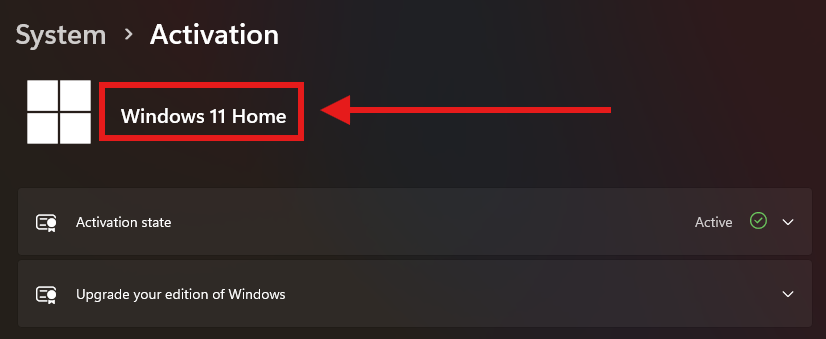
If you have Home edition, then you will not have BitLocker. If you have Pro edition, please follow the steps below to determine if BitLocker is enabled.
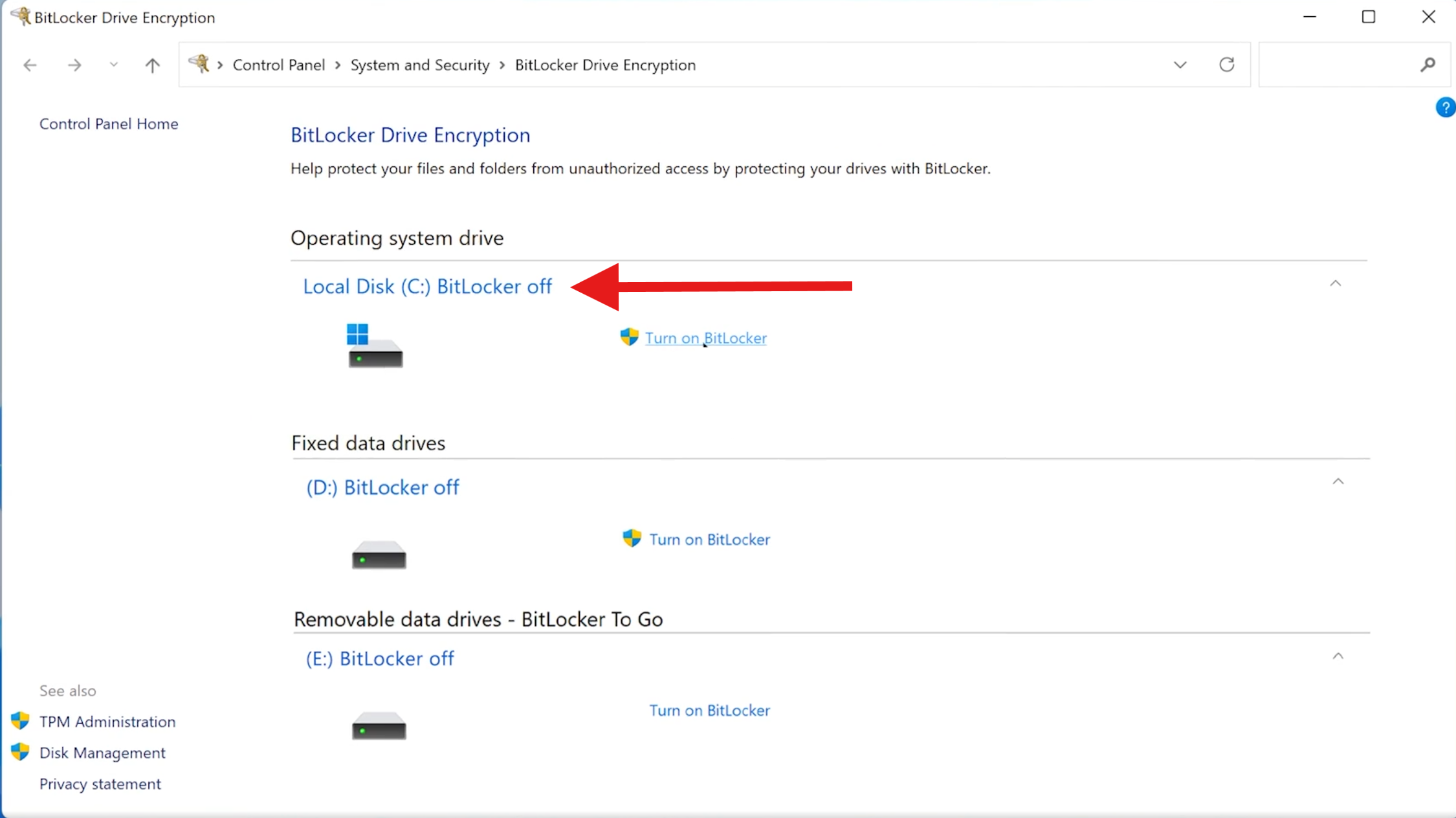
HOW DO I KNOW IF I EVEN HAVE BITLOCKER ON
Click the Start button
Type: Manage BitLocker
Click Manage BitLocker in the results
From here you can see if your Bit locker is enabled
HOW DO I LOCATE MY BITLOCKER KEY
If you sign into your computer with a Microsoft email (like Outlook, Hotmail, Live) your key is probably saved online.
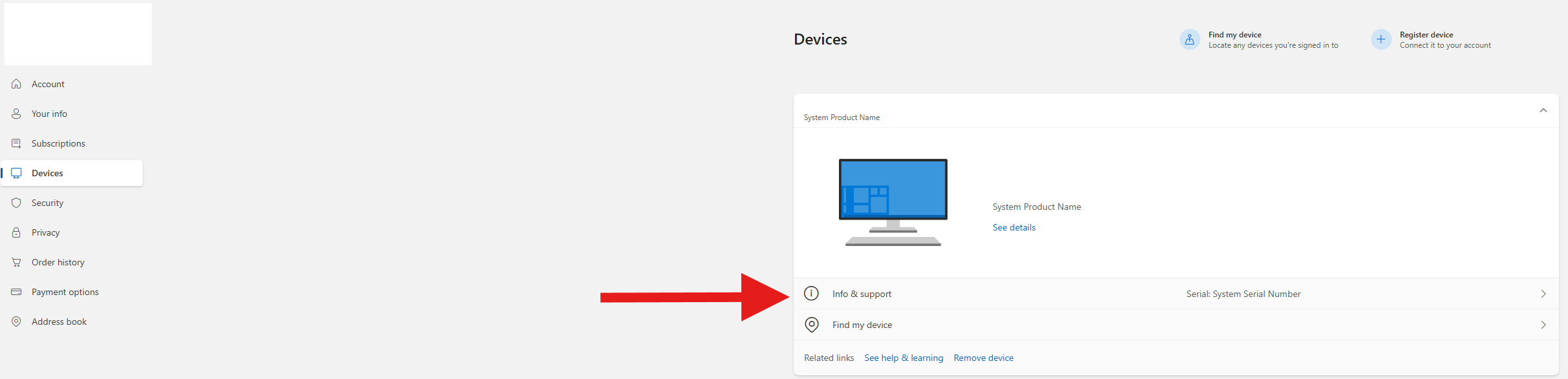
Sign in with your Microsoft email and go to devices
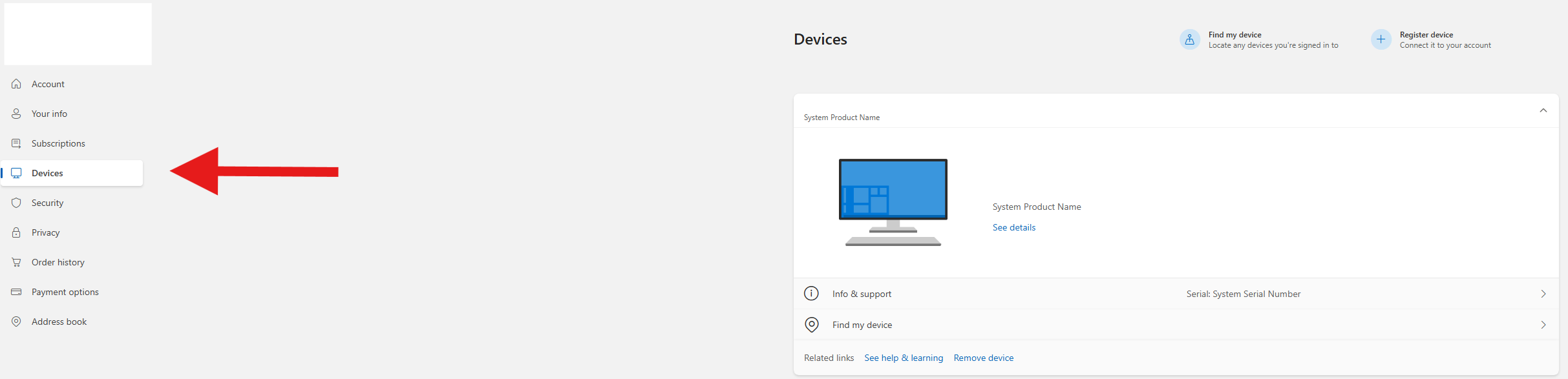
Click on Info & support
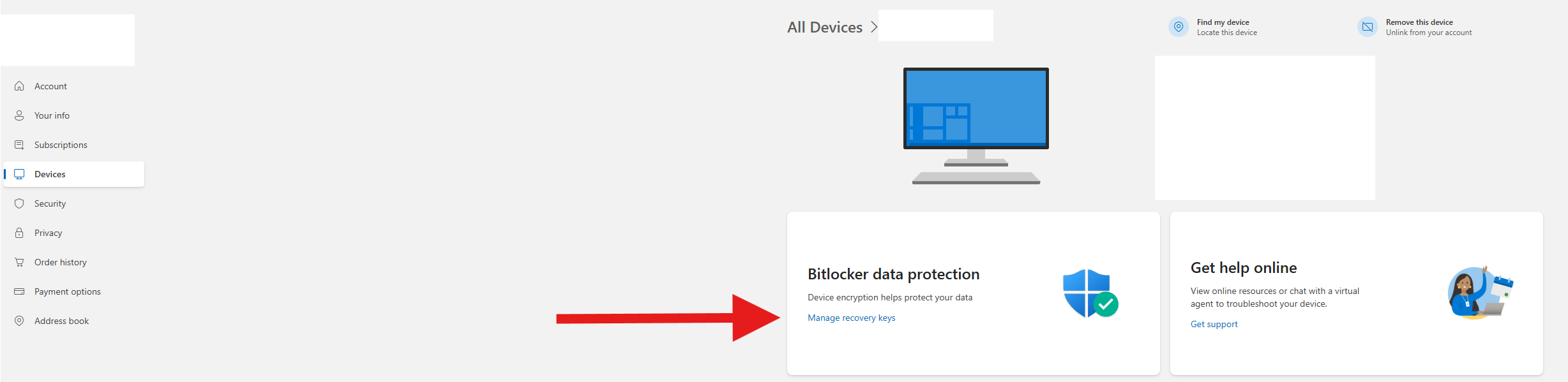
Click on Manage recovery keys and copy the 48 digit code
You may have saved the key when BitLocker was first turned on:
A printed sheet labeled BitLocker Recovery Key
A USB drive containing a text file
A file saved in Documents or Downloads
WHAT HAPPENS IF I CAN'T LOCATE MY BITLOCKER KEY
BitLocker is designed to protect your data. That means there is no “back door” or way to bypass it. Without the correct 48-digit recovery key, Windows will not allow access to the files on the drive.
Please follow the steps HERE on how to reinstall Windows if you can't locate your key.
If having any trouble please contact the support team at [email protected] or call 833-638-2727 EXT 3, we are more than happy to assist!