.png)
How to Test SSD HealthUpdated 8 months ago
Checking an SSD’s health is a simple way to confirm that the drive is operating as expected. Many users run health checks as part of regular system maintenance, similar to checking for software updates or system settings. These checks provide helpful information about the drives current status and overall condition.
SSD manufacturers offer their own software tools that are specifically designed for their hardware. These tools are built to be user-friendly and provide clear, easy-to-understand results.
SSD MANUFACTER CHECK
If you’re not sure which manufacturer made the storage drive in your computer, please follow the steps below to identify device manufacturer.
Right-click the Start button on your task bar
Select Device Manager
Expand Disk drives
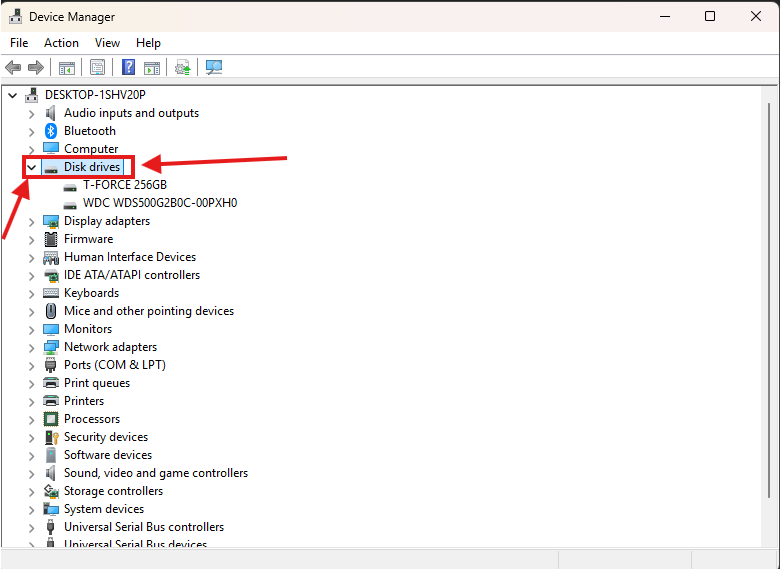 You will see the name of your storage drive listed. In most cases, the manufacturer’s name (such as Kingston, Samsung, or Crucial) is included directly in the drive name.
SELECT YOUR DEVICES BRAND
Choose your brand below for step-by-step instructions: