.png)
How to install apps on BazziteUpdated a month ago

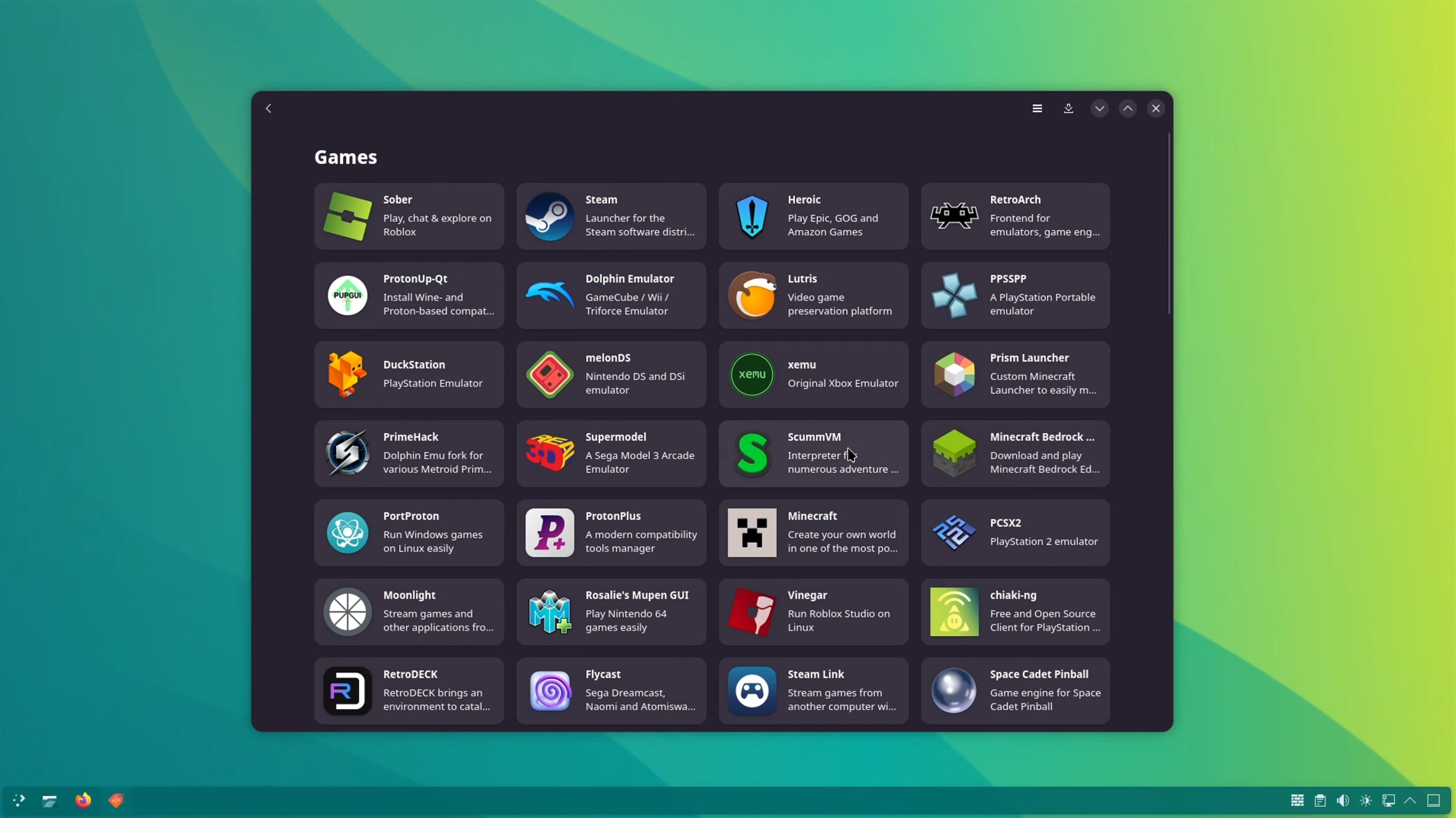
Bazzite has a built in app store called Bazaar. Everything you install comes from there. You do not download .exe files, and there are no installers to click through like on Windows.
Open Bazaar, search the app by name, click Install. That is the whole process for almost everything.
INSTALLING AN APP
- Open Bazaar from your applications menu
- Type the name of the app in the search bar at the top
- Click the app in the results, then click Install
- When it finishes, the app appears in your applications menu
The ones we get asked about most are Discord, Google Chrome, OBS Studio, VLC, and Spotify. All of them are in Bazaar, so just type the name in and they will come right up. Worth knowing that Firefox and Steam are already installed, so you do not need to go get those.
✏️PLEASE NOTE: If your PC boots straight into the Steam interface, press the Steam button and choose Switch to Desktop first. Bazaar lives on the desktop side.
Two of those have a quirk worth knowing about before you write in:
- Discord cannot share your screen with sound on Linux. That is Discord's limitation, not your PC. If you need audio while screen sharing, use Discord in your web browser instead
- OBS Studio pops up a window the first time you add a Screen Capture source, asking which screen to share. Pick your screen and click Share. If your capture is a black screen, delete that source, add it again, and answer the popup
DO NOT PASTE COMMANDS FROM THE INTERNET
Search for how to install something on Linux and you will find guides that tell you to run sudo apt install or sudo dnf install. Those do not work on Bazzite and they can cause problems later.
- Bazzite's system files are locked on purpose. That is what makes it hard to break
- If the app you want is in Bazaar, install it there instead. That is almost always the answer
- You never install drivers yourself. They come with system updates automatically
⚠️WARNING: IF A GUIDE TELLS YOU TO RUN A COMMAND YOU DO NOT UNDERSTAND, STOP AND CONTACT US FIRST. IT IS MUCH FASTER FOR US TO ANSWER A QUESTION THAN TO UNDO A BROKEN INSTALL.
KEEPING APPS UPDATED
Bazzite updates your apps and your system by itself in the background. Reboot when it tells you an update is waiting and you are current. There is nothing else to do.
IF THE APP IS NOT IN BAZAAR
Most things are, but not everything. If you cannot find what you are looking for, reach out to our support team and tell us the name of the app. There is usually an equivalent already available, or a supported way to get it installed.
✏️PLEASE NOTE: If you are comfortable with the terminal, developer tools and anything that expects apt or dnf belong inside a Distrobox container, not on the system itself. DistroShelf is preinstalled and handles this with buttons instead of commands.