.png)
How do I safely package my system for RMA?Updated 2 months ago
This article explains how to prepare your PC for RMA shipping to our warehouse properly. Before we can issue a return label, we’ll need you to provide photos confirming that the system is packaged correctly. If you’ve received RMA instructions from our support team, you must follow the guidelines below to ensure your PC arrives safely. The return label will only be provided when proof of packaging has been sent over to [email protected].
⚠️ Warning: Improper packaging of your system may lead to damage to the unit or its internal components, which can void your system warranty. META PC IS NOT LIABLE FOR ANY SHIPPING DAMAGE OR LOSS RESULTING FROM SHIPPING.
⚠️ Warning: Please refrain from shipping power cables and peripherals with the PC.
 Please read above
I DO NOT HAVE A PRINTER. HOW CAN I GET MY SHIPPING LABEL?
You can download the label on your phone and have the courier scan and print it. Each courier may be different; some might ask you to email their in-store address, while others may scan the barcode and print it. The return label will only be provided when proof of packaging has been sent over to [email protected].
WHAT DO I NEED TO PACKAGE MY PC?
If your system includes a 3-fan graphics card, it must be shipped separately in its own protective box to ensure safe transit and prevent damage. Systems with 2-fan graphics cards may be shipped with the graphics card installed in the PC. Please keep in mind that we are not liable for any shipping damage, so be sure to follow this guide carefully to minimize potential risk.
- The original box the PC was shipped in
- Separate box for graphics card if using a 3-fan graphics card
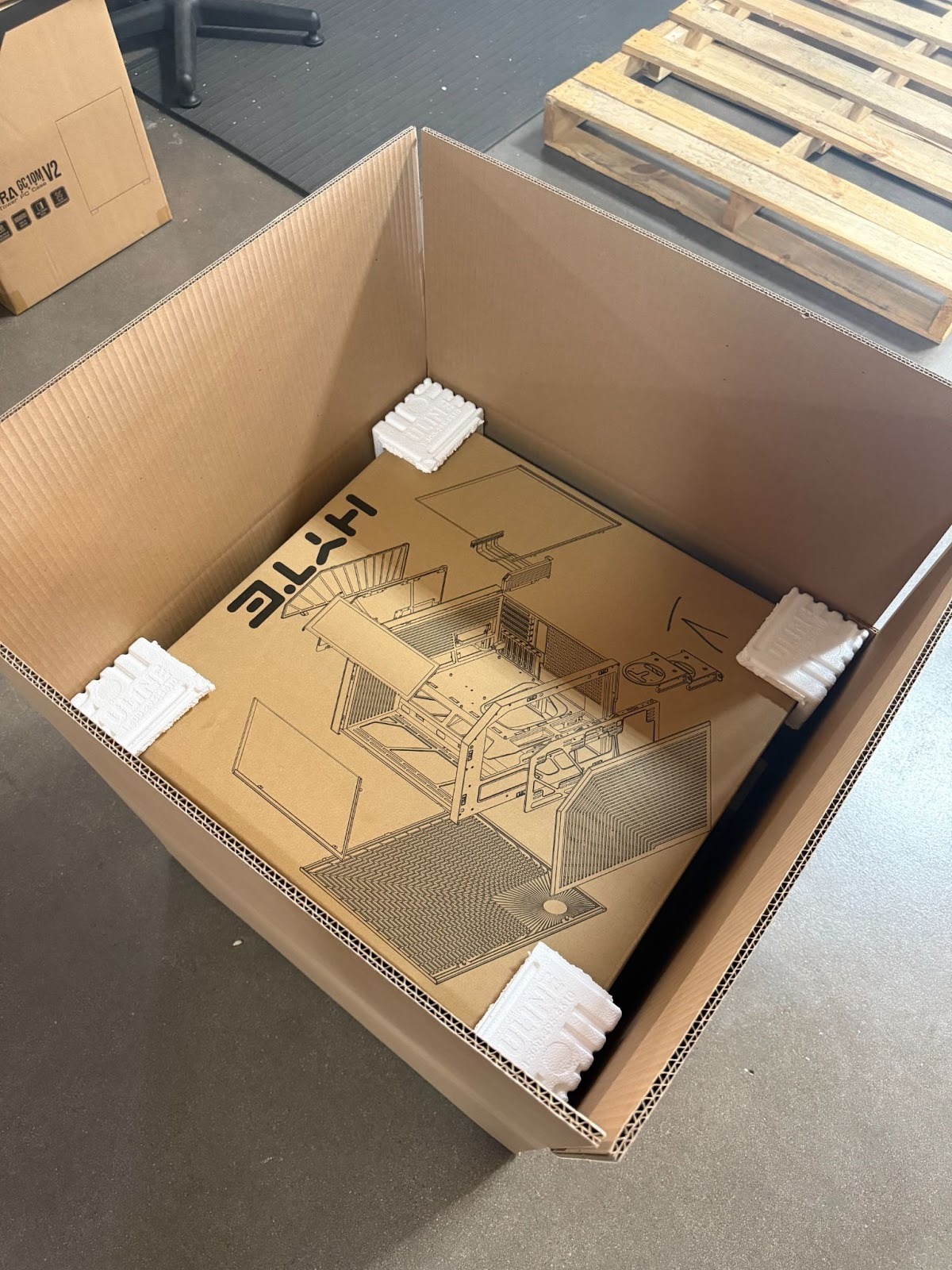
- Outer box (this is the “outer shell” to protect the PC box)
- Foam corners
- Anti-static bubble wrap
- Expanding foam bags/Insta-Pack (preferred over bubble wrap for interior PC protection)
- Shipping labels
- Packaging tape
SAFELY PACKAGING YOUR META PC
If you're a visual leaner, check out our guide on YouTube HERE!
⚠ Back up important data before shipping and remove or secure any loose items (USB drives, dongles, Wi-Fi antennas)
SECURE INTERNAL COMPONENTS
If you still have the graphics card in the PC:
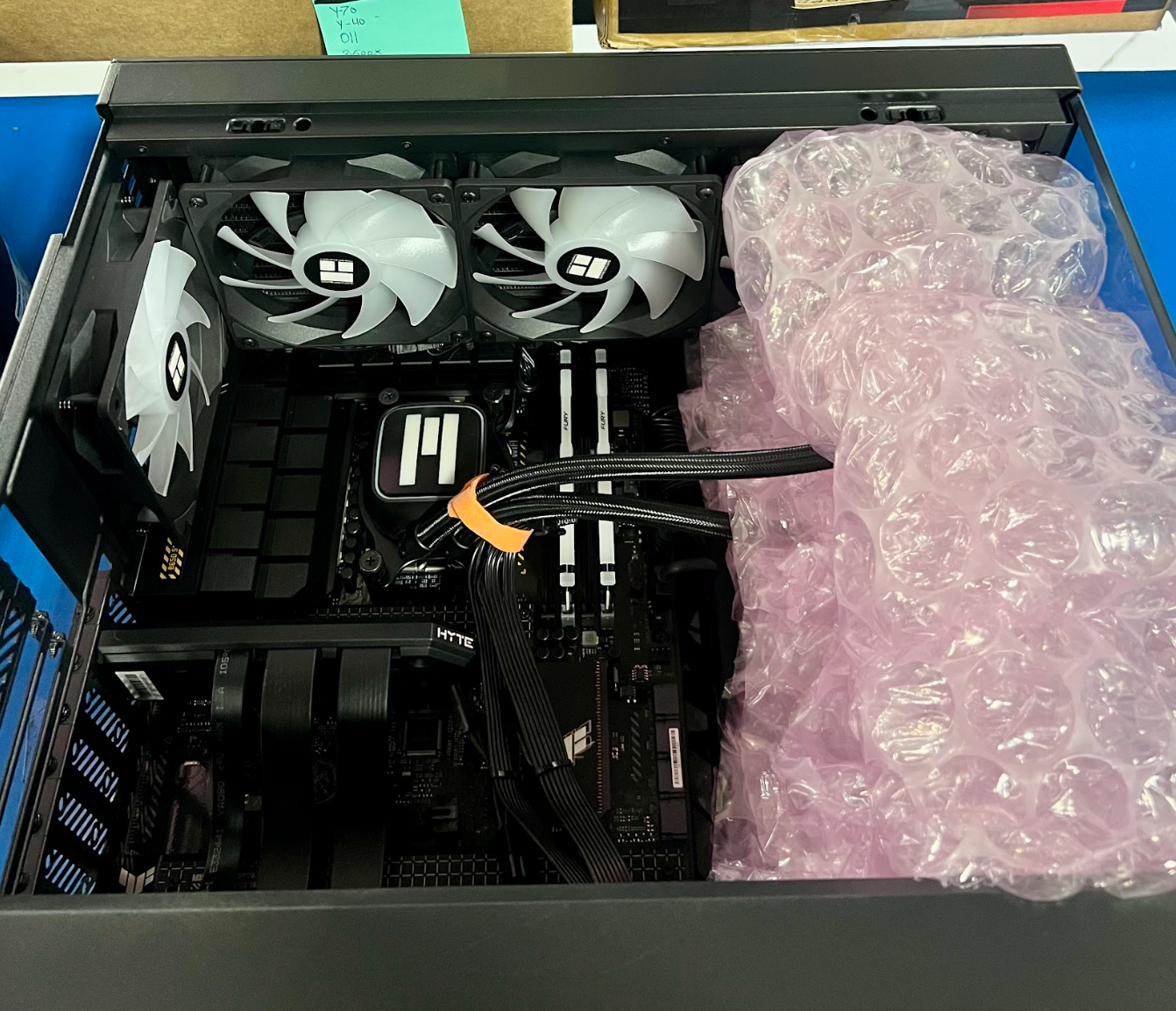
Use Insta-pack or anti-static bubble wrap inside the case to prevent the graphics card and other heavy components from moving. If the graphics card is large (especially a 3-fan model), remove it and ship it in a separate anti-static bag and box.
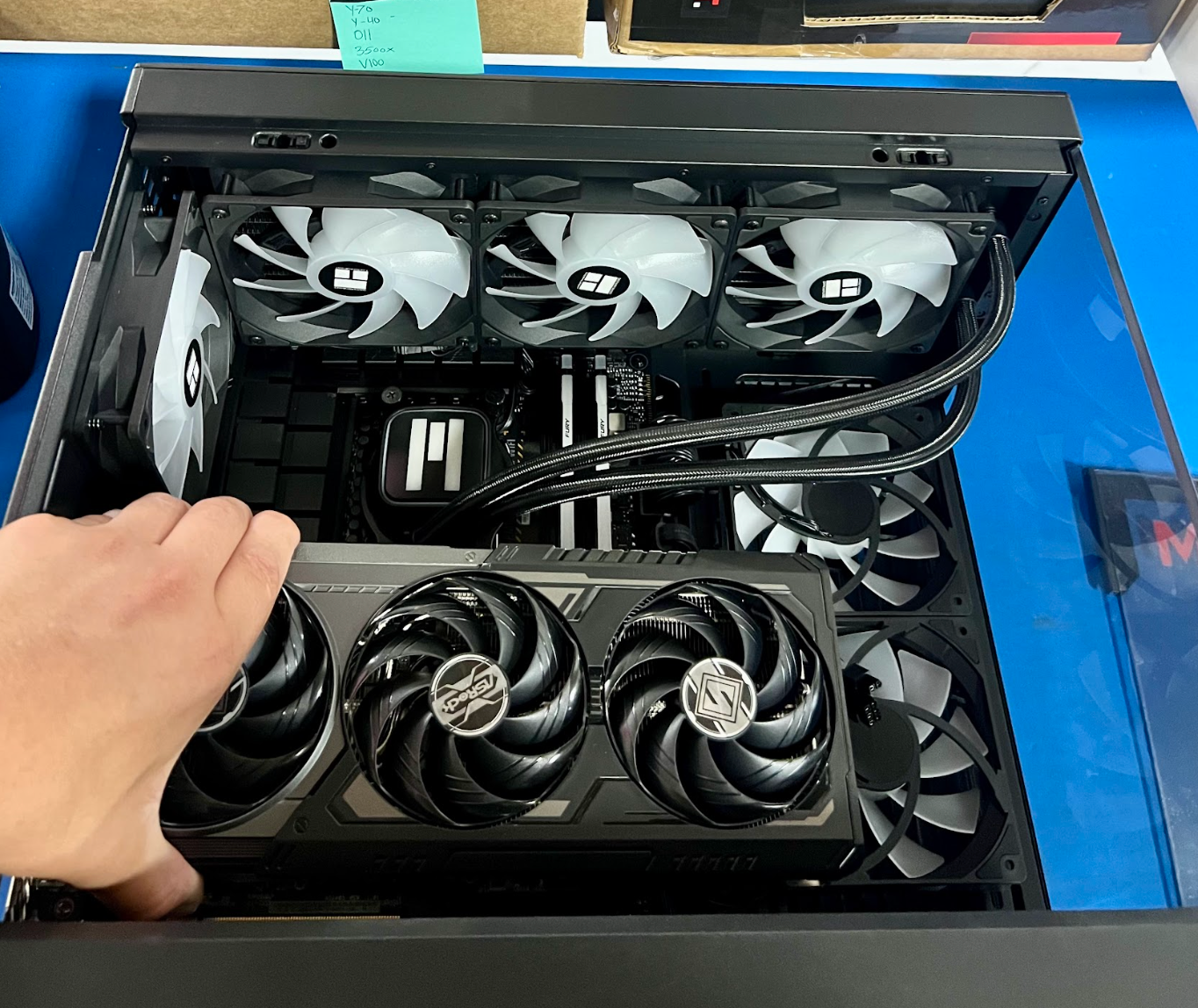
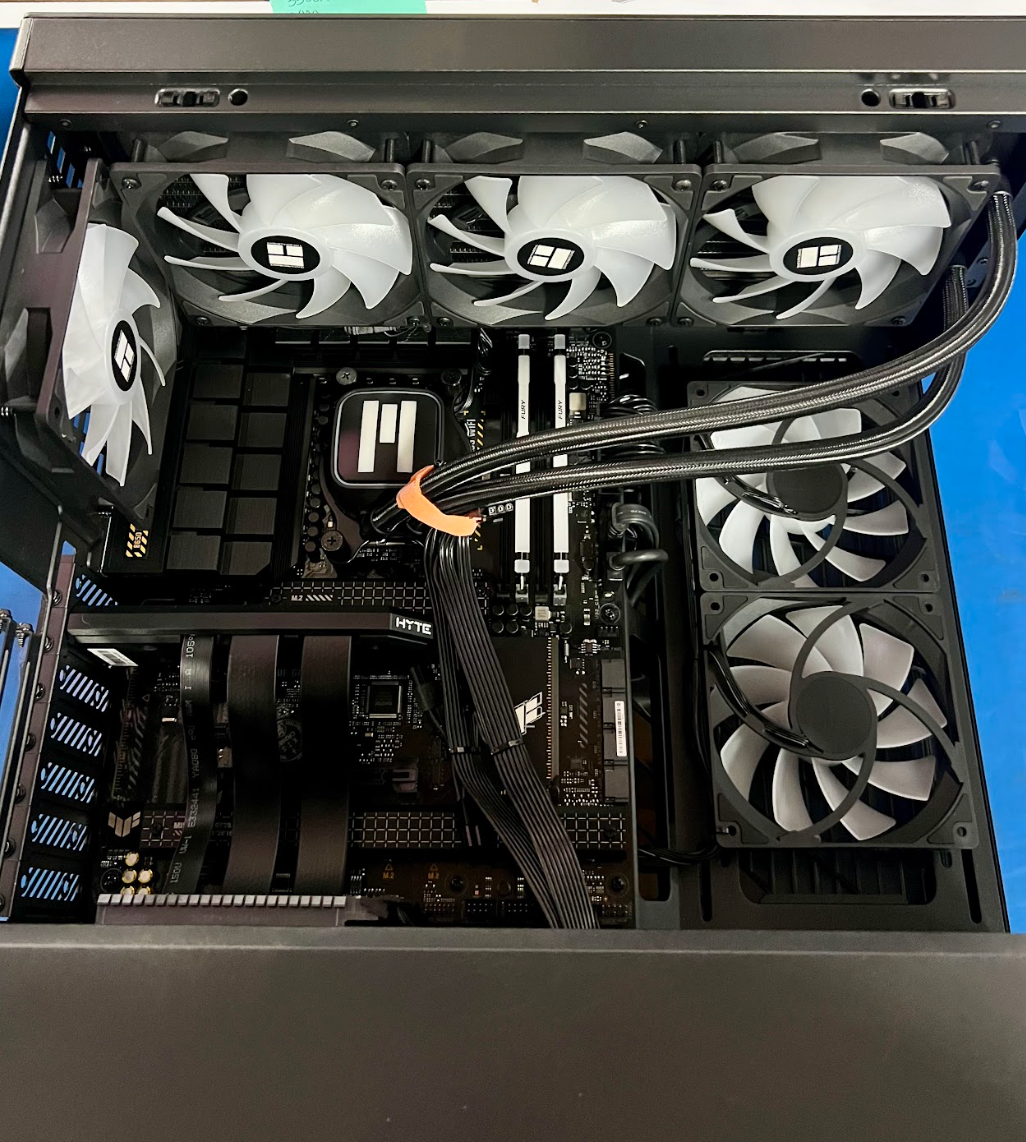
Graphics cards with 3 fans must be shipped separately from the remainder of the system.
Wrap it in an anti-static bag, then foam or bubble wrap, and place it in a small sturdy box. If a graphics card box is needed, please let the support team know at [email protected].
WRAP THE PC CASE
- Make sure the front, back, and corners are well-padded.
Make sure inside the PC case is well packed, as shifting parts can damage hardware.
BOX IT UP
- Place the wrapped PC in the center of the shipping box, leaving at least 2–3 inches of padding space on all sides.
Fill gaps with packing foam, air cushions, or crumpled paper (avoid packing peanuts — they shift easily).
SEAL THE BOX
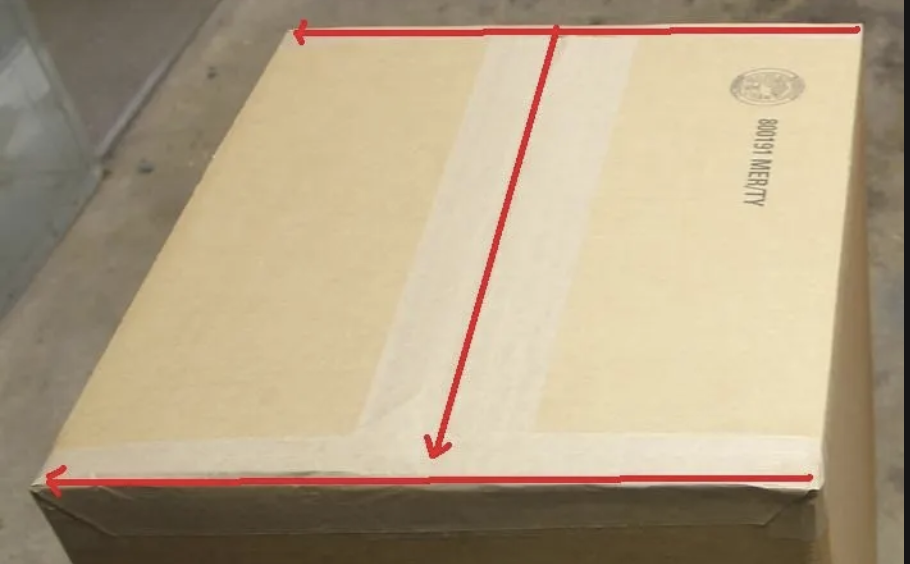
- Use strong packing tape (H or double-strip pattern) to seal the top and bottom.
- Add "fragile" or "handle with care" labels if desired.
INTERNAL PACKAGING
Follow the pictures below if you are using a 3-fan graphics card. 2-fan graphics card pictures are further below.
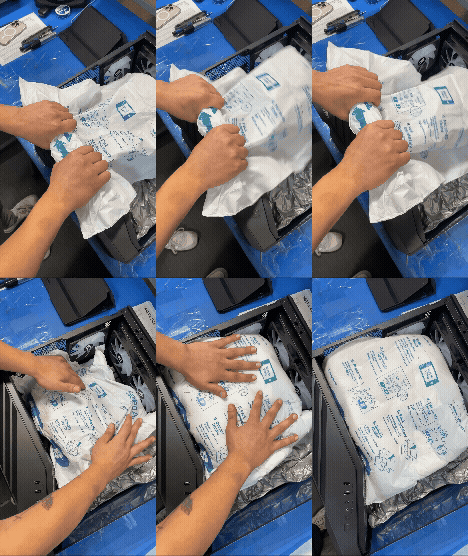
⚠ IF USING A 3-FAN GRAPHICS CARD AND YOU DON'T REMOVE IT, META PCS IS NOT LIABLE FOR SHIPPING DAMAGE.
 |  |
 | 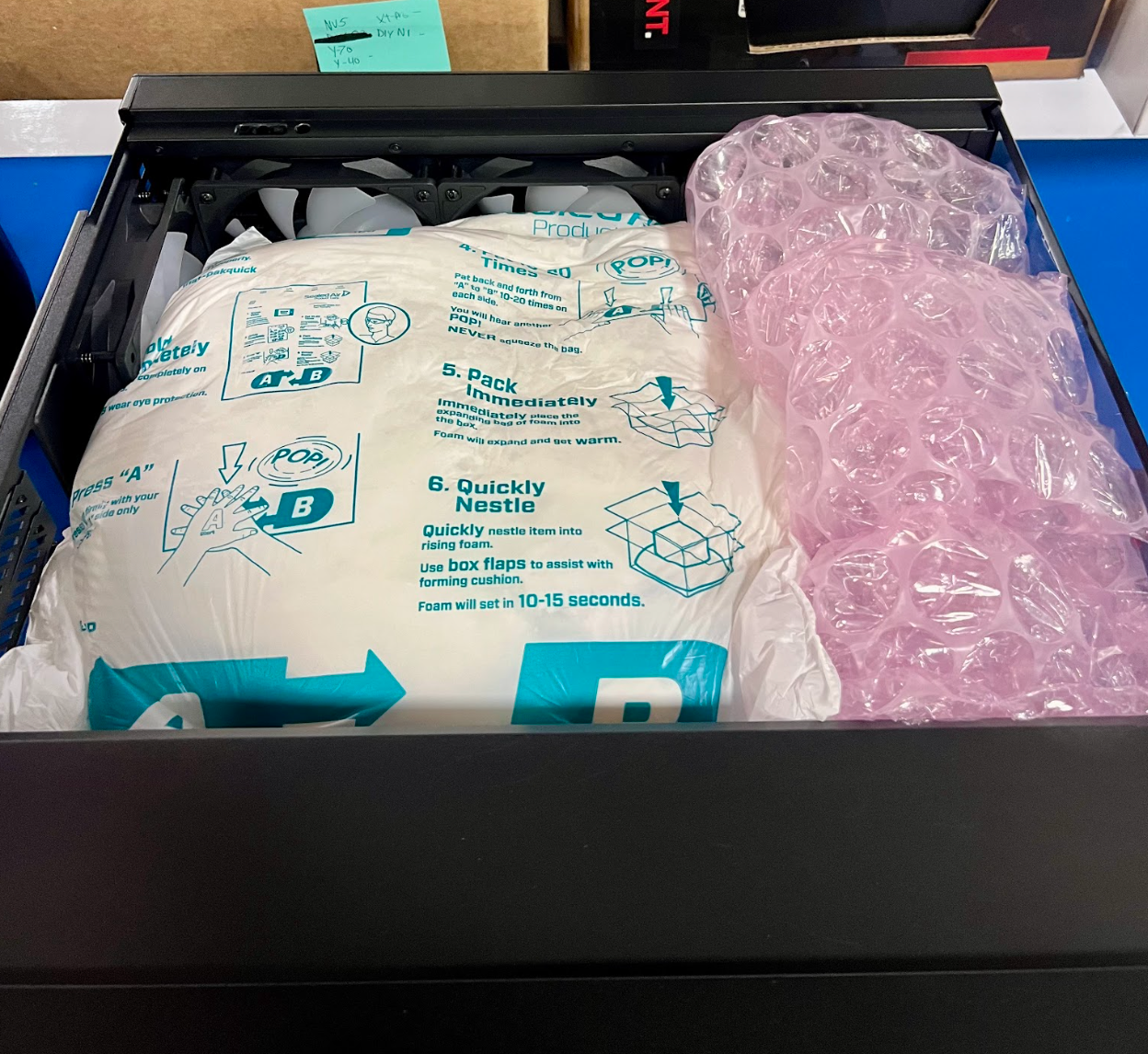 |
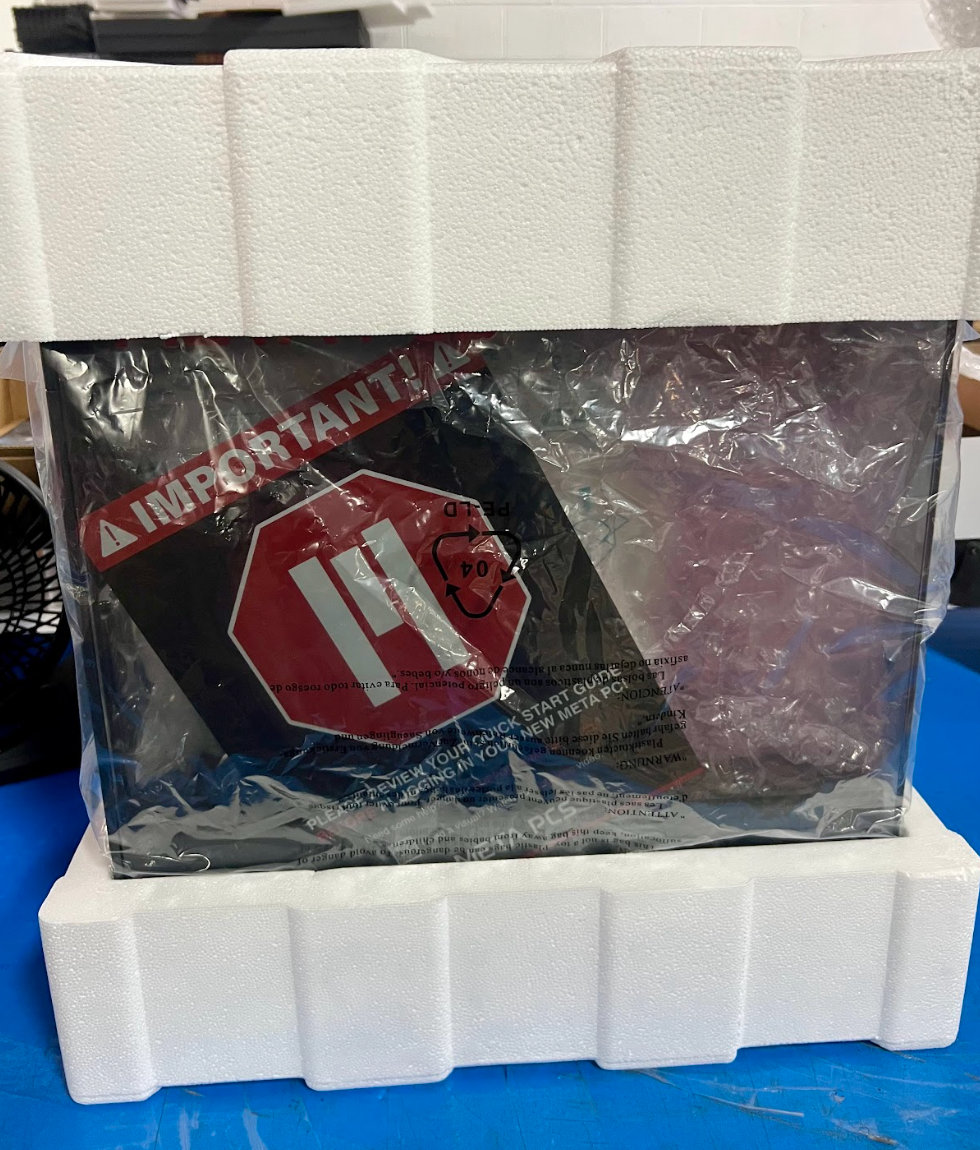 | 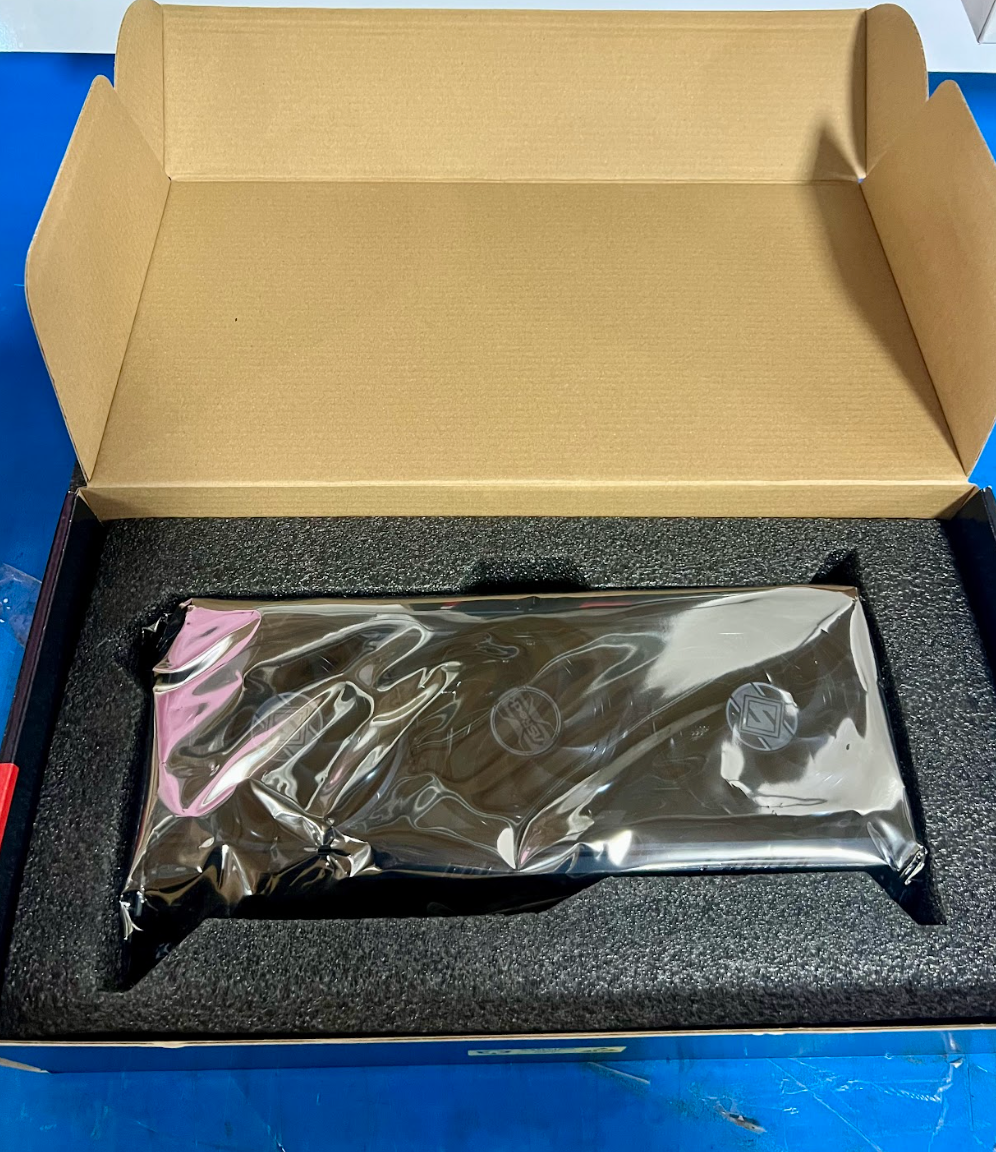 |
Please follow the pictures below if you are using a 2-fan graphics card.
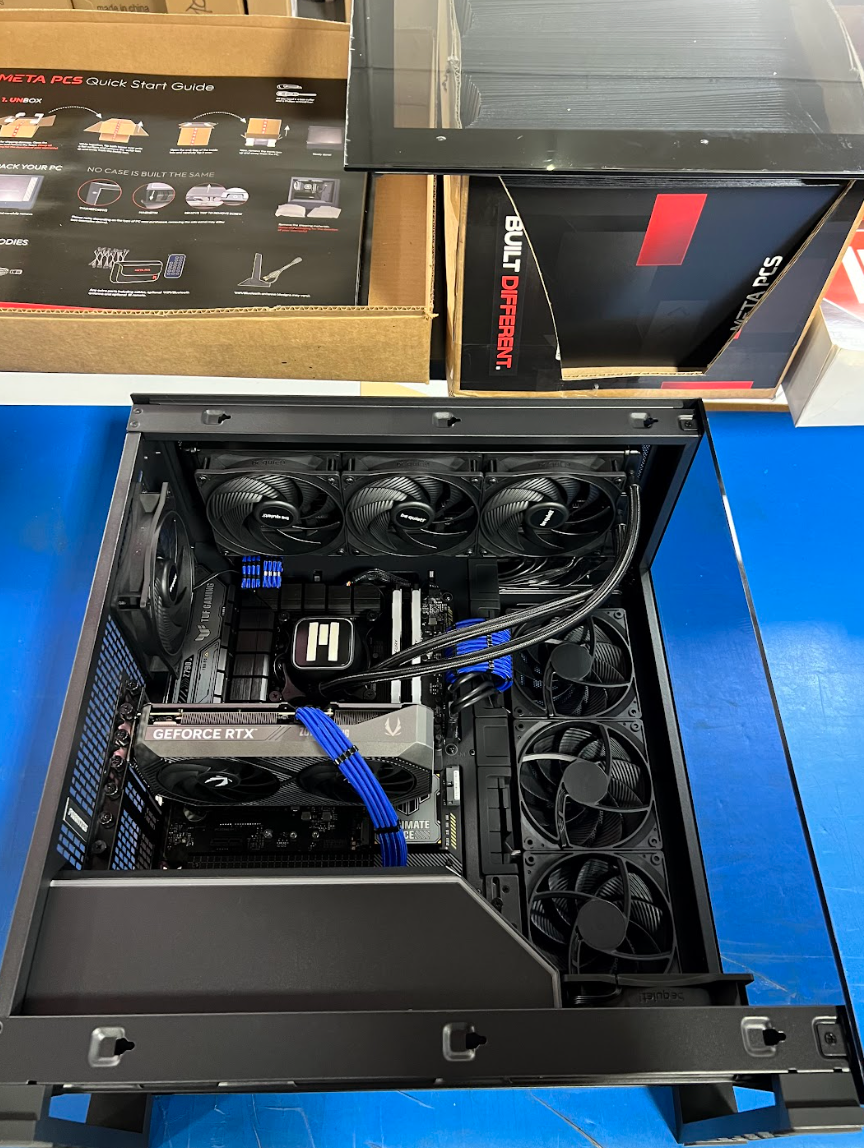 | 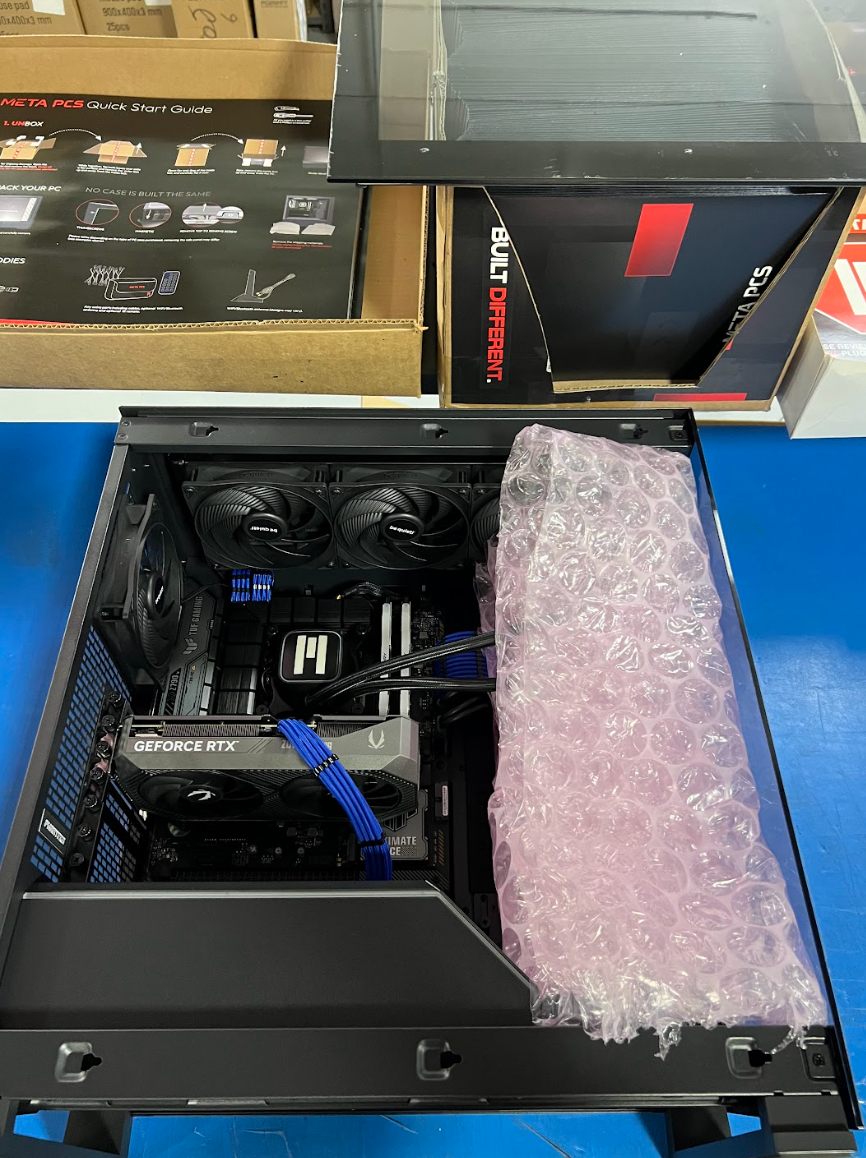 |
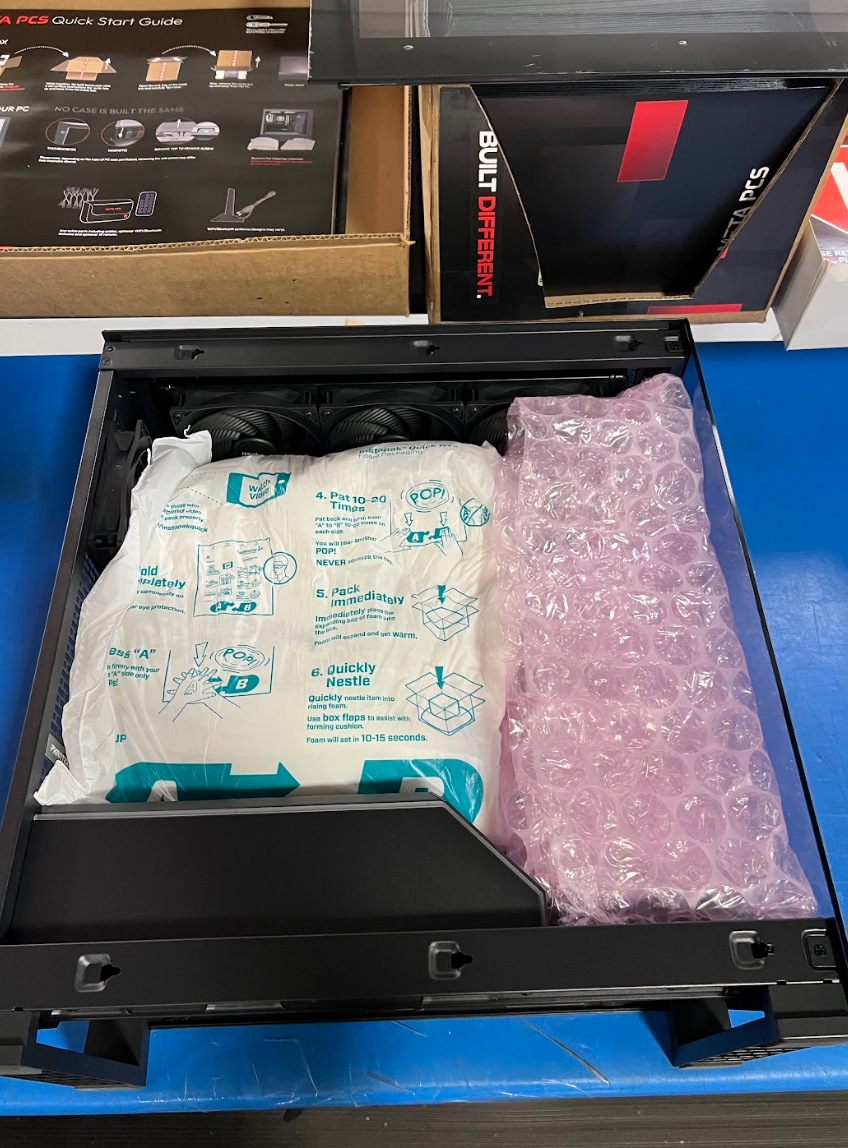 | 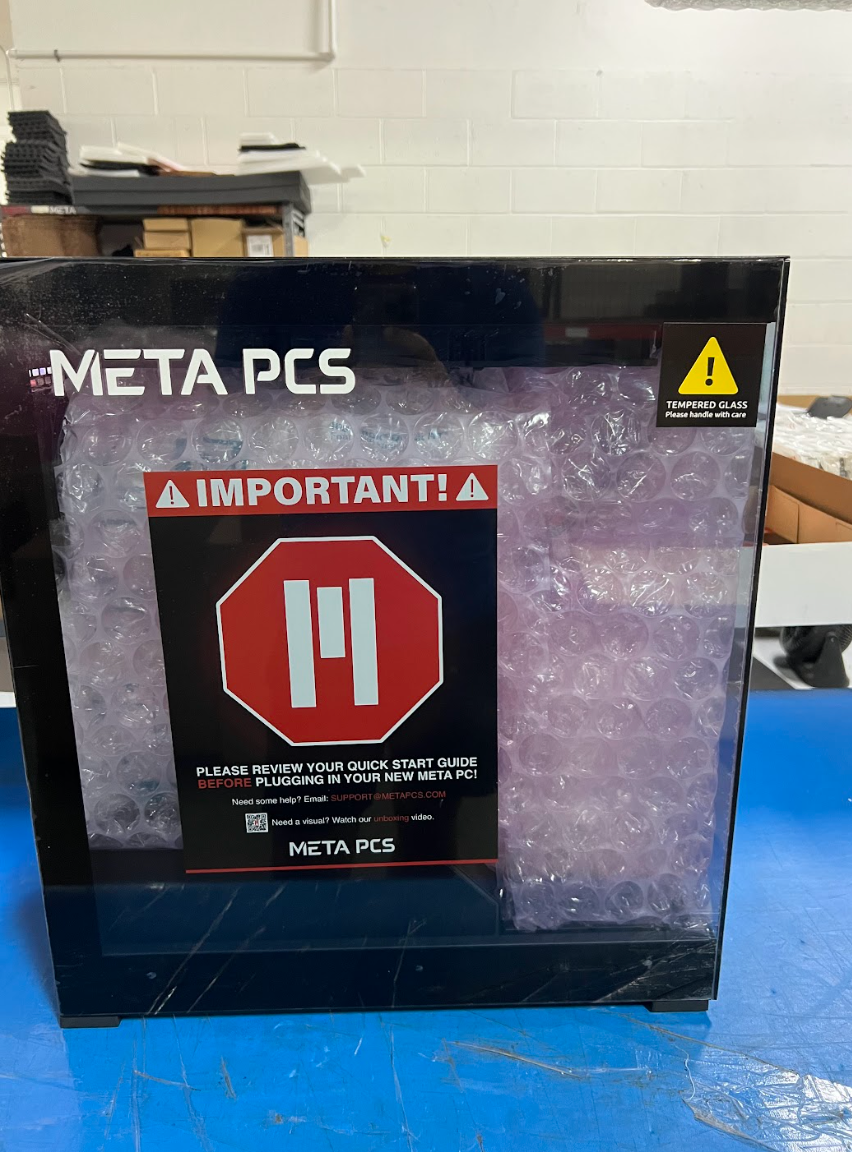 |
EXTERNAL PACKAGING
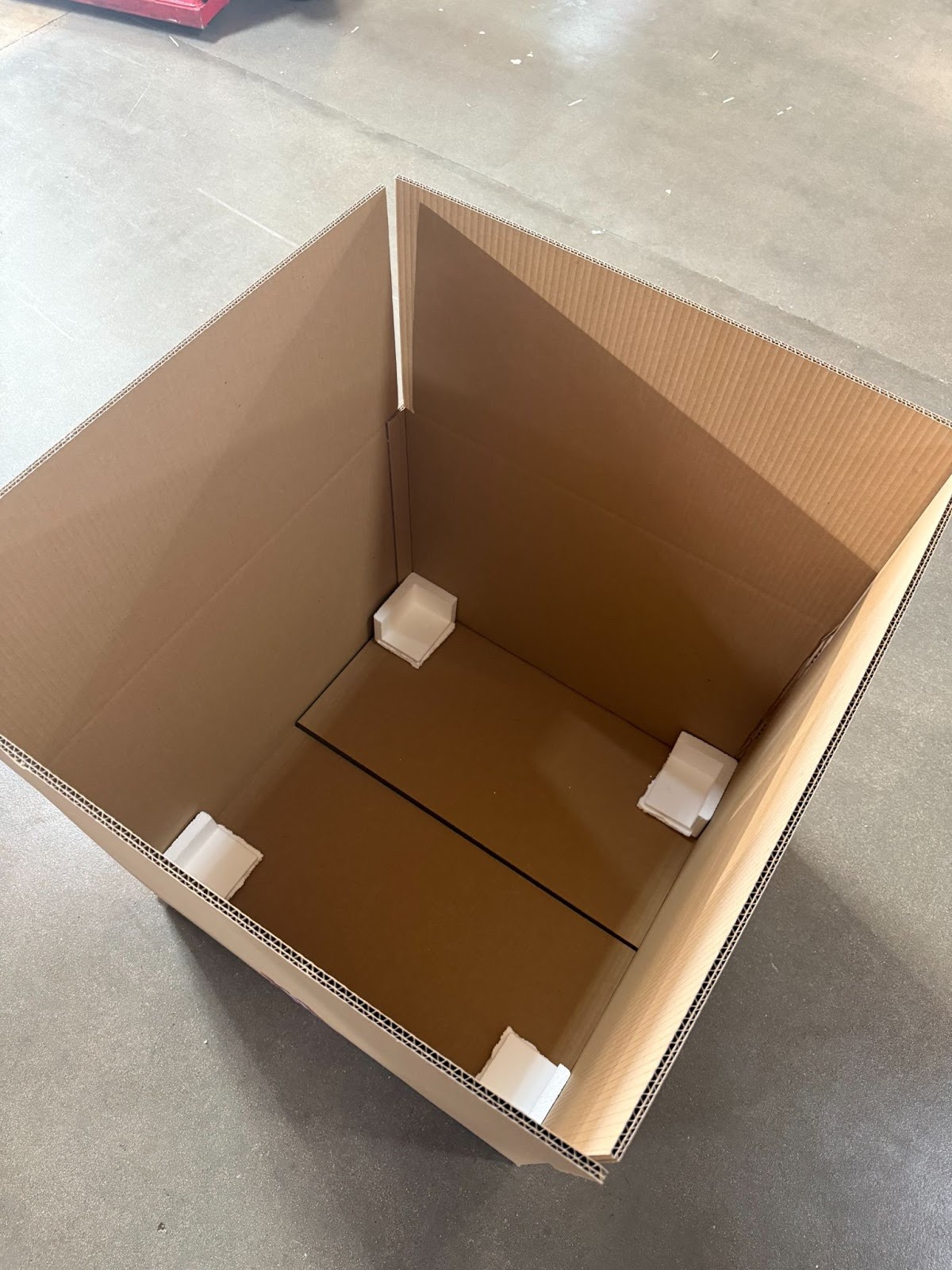 |  |
SHIPPING YOUR PC FOR RMA SERVICE
After packaging your system, take it to a local courier location. If you received a prepaid shipping label, find the nearest drop-off point for that courier and give the package directly to a staff member. Avoid using unattended drop boxes—it's important to have the package scanned during drop-off and to keep the receipt as confirmation.
HOW DO I TRACK MY RMA?
We will always try to send out the tracking info via email with the shipment of your PC or RMA/ARMA service. If that happens to not be the case, then you can reach out to us at 833-638-2727 EXT 3. Please provide your order number or first and last name so the help desk can locate your order to check the tracking info. You are also able to reach out to [email protected] to check the status of your device.